What is AI genealogy?
AI genealogy is the use of artificial intelligence across family history research: reading handwritten records at archive scale, searching record databases through conversation, building a tree from plain-language chat, and turning documented lives into narrated stories and video. The best tools ground every claim in a real record; the worst invent ancestors with total confidence.
The field moved fast. In February 2021, MyHeritage's Deep Nostalgia animated a million old photos in its first 48 hours and passed 10 million within about two weeks: proof that AI could make family history feel alive, even if it wasn't yet doing any research. Five years later the AI actually researches: it reads handwriting across billions of record images, answers questions from archives, and drafts the story of a life with citations attached.
It helps to split “AI genealogy” into three different jobs: finding records, organizing what you know, and telling the story. No single product is best at all three, and a tool brilliant at one (animating a photo) can be useless at another (proving a parent). This guide walks through each job, what works today, where AI still fails badly, and which tool fits which task. Or jump straight to our ranked best AI genealogy tools comparison.
What can AI actually do for family history research today?
Five things, reliably: transcribe handwritten records at archive scale, search record collections through plain-language conversation, plan research and summarize documents, build a family tree from what you type, and turn documented lives into narrated stories or video. The sixth thing (answering factual questions about your specific ancestors from memory) is where general AI stops being reliable.
| Job | What the AI does | Who does it |
|---|---|---|
| Read old handwriting | Full-text transcription and search of record images | FamilySearch (free), Ancestry, MyHeritage Scribe AI |
| Search records by chat | Conversational search over record databases | MyHeritage AI Record Finder, AncestorIQ |
| Research your ancestors | Agentic search across archives with cited findings | AncestorIQ Deep Research, Goldie May |
| Build the tree | Turns plain-language chat into a structured tree | AncestorIQ Chat Tree |
| Tell the story | Narrated record stories, photo animation, narrated films | Ancestry AI Stories, MyHeritage LiveMemory, AncestorIQ Family Video |
| Think and draft | Plans, summaries, translations from what you paste in | ChatGPT and other general chatbots |
The pattern worth noticing: every reliable use either points AI at a document that exists (transcribe this page, search this index) or keeps a human confirming each step. The unreliable uses ask AI to recall facts about a specific person from its training memory. That's guessing, however confident it sounds.
Can AI read old handwriting and transcribe records?
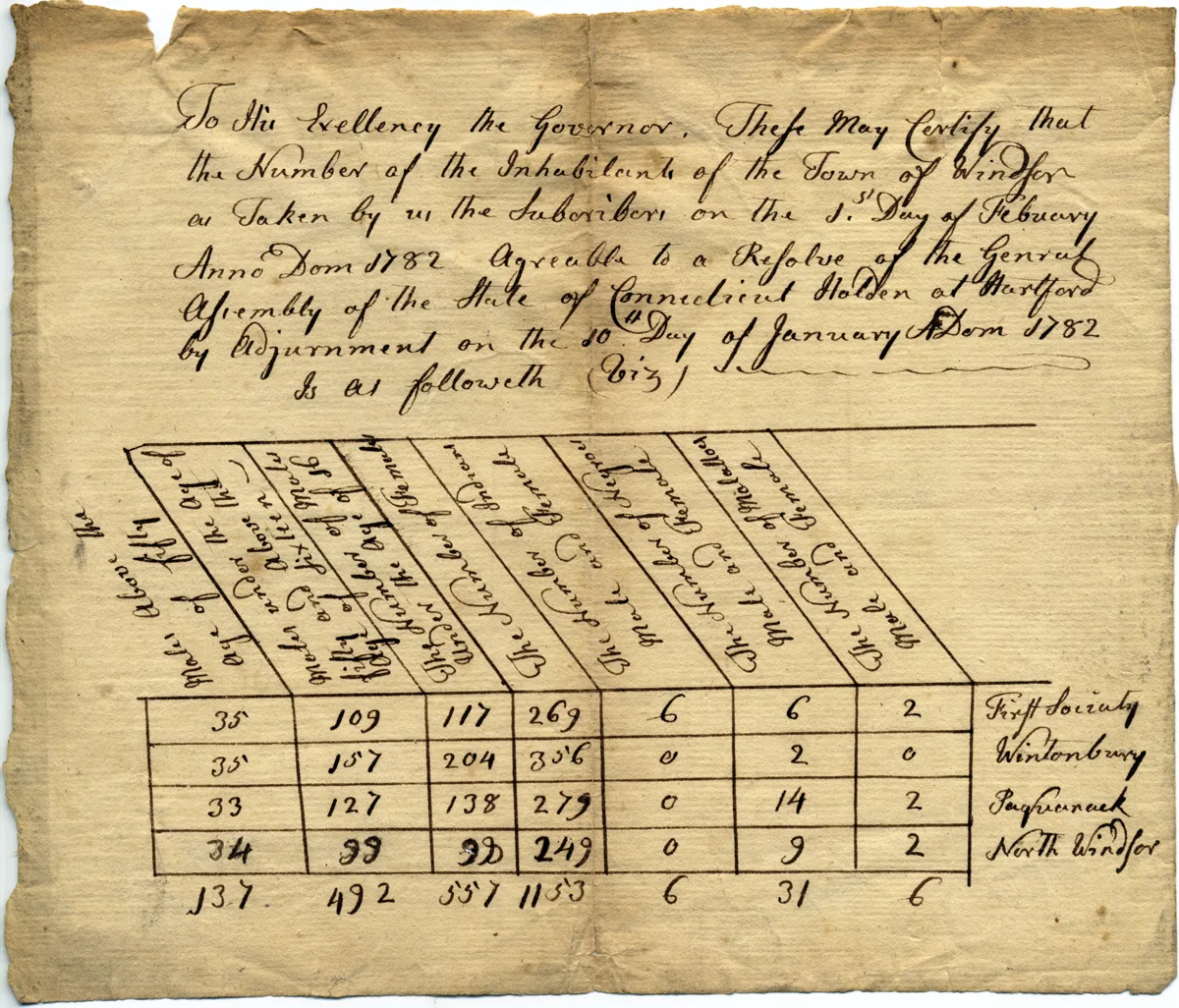
Yes. Machine transcription is the most transformative thing AI has done for genealogy so far. FamilySearch's free full-text search reads handwriting across billions of digitized record images, Ancestry applies handwriting AI to its own collections, and MyHeritage's Scribe AI transcribes, translates, and interprets documents you upload. You can now search the words inside records, not just indexed names.
Why this matters so much: traditional indexes only captured a few headline fields: the names of the main parties, a date, a place. Full-text search reads everything else. A land deed that mentions your ancestor as a neighbor, a probate file that names a married daughter, a witness signature on someone else's record. People who were invisible to name indexes for a century are now findable because the AI read the whole page.
The tools split by where your documents are. For records inside the big collections, FamilySearch's full-text search is free and covers billions of images, and Ancestry's AI-driven indexing works across its subscription collections. For documents in your own drawer, MyHeritage's Scribe AI (launched March 2026) accepts an uploaded image or PDF and returns a transcription, a translation if needed, and historical context. Free for a few documents, unlimited on its top subscriptions.
One caution: machine transcription is a draft, not a verdict. AI misreads names in exactly the places clerks wrote them worst, so check any surname a transcription hands you against the image itself. It's the same discipline our guide to ancestor name spelling variants recommends for human-made indexes.
How does AI ancestry research work?
Modern AI ancestry research runs a loop: you ask a question in plain language, the system searches online archives and record indexes, retrieves candidate records, weighs them against what's already known, and returns an answer with citations attached. You confirm or reject each finding. The AI does the searching and drafting; the records, and you, decide what's true.
The technical distinction that separates research AI from chatbot AI is retrieval. A general chatbot answers from patterns compressed into it during training, with no document in front of it when it writes, which is why it can invent a plausible ancestor. A retrieval-based system searches an actual index of records first and is restricted to claims it can point back to a specific document. Our post on why ChatGPT can't do genealogy walks through that difference with real failure cases.
AncestorIQ's Deep Research is built as that loop end to end: hand it the question you're stuck on (a missing parent, an uncertain birth year, a family that vanishes between censuses) and it searches multiple online archives, brings back records tied to citations, shows conflicts side by side instead of guessing, and adds only what you confirm to your tree.
General chatbots still have a place in the workflow (planning, summarizing, translating) as long as you supply the evidence and verify the output. Our ChatGPT for genealogy guide covers exactly where a general assistant helps, where it fails, and includes a prompt library that guards against its weaknesses.
Can AI build my family tree?
Yes. A conversational tree builder turns what you type (names, dates, half-remembered stories, in any order) into a structured family tree, asking follow-up questions to fill the gaps. Unlike form-based software you start from memory rather than blank fields, and unlike a general chatbot, everything you say is kept, structured, and yours to export.
This is the piece of AI genealogy that changes who can do it at all. Traditional tree software assumes you already think in records: add an individual, attach a birth fact, source it. Most families' knowledge doesn't arrive that way. It arrives as “Grandma Rose came over from Poland with her sister around 1920, I think her mother stayed behind.” An AI family tree builder accepts exactly that sentence, turns it into people and relationships on a canvas, and asks the one question that fills the next gap.
The control question matters here: a good conversational builder suggests and you decide: nothing lands on the tree without your confirmation. That's the line between AI as a fast pair of hands and AI as an unsupervised author, and it's the same standard to hold any research assistant to.
Can AI turn family history into a video?
Yes. Storytelling is the newest front. MyHeritage's LiveMemory animates a photo into a short clip, Ancestry's AI Stories narrates a single record as an audio story, and AncestorIQ generates a narrated short film from the sourced records on a tree. The question to ask of any of them: is the output grounded in records, or just generated imagery?
The three approaches are different products. Photo animation is an emotional spark: a face moves, and a century-old portrait feels present. Record narration turns one document into a story you can listen to. A narrated family film strings a documented life (real dates, real places, records as evidence) into something the whole family will actually sit down and watch, which is what AncestorIQ's Family Video builds from your tree.
We've reviewed the incumbents' storytelling AI hands-on: our Ancestry AI Stories review covers what the narrated record stories get right and where they slip, and our MyHeritage AI review walks the full photo-to-video suite from Deep Nostalgia to LiveMemory.
What AI features did Ancestry, MyHeritage, and FamilySearch add?
All three incumbents now ship AI. Ancestry launched AI Stories in December 2025: narrated audio stories generated from individual records, in beta. MyHeritage runs the broadest suite: photo animation, chat-based record search, document transcription, with its GAIA research assistant announced for 2026. FamilySearch's AI handwriting search across billions of images is entirely free.
Ancestry's AI Stories turns a record (a census page, a draft card) into a text summary and a narrated audio story with cited footnotes, in seven languages. It requires a subscription and deliberately narrates rather than animating faces. Our hands-on AI Stories review covers the details, including the indexing quirks early users hit.
MyHeritage has shipped more AI features than anyone: AI Record Finder (chat-based record search), AI Biographer (Wikipedia-style ancestor articles), PhotoDater, LiveMemory photo animation, and Scribe AI document analysis, plus GAIA, a personalized research assistant announced at RootsTech 2026 and not yet broadly available as of this writing. Our MyHeritage AI suite review scores each one.
FamilySearch, run by a nonprofit, put AI handwriting recognition to work as free full-text search over billions of record images, alongside a help chatbot and a hint assistant. If the job is searching real records with AI at zero cost, it's unmatched. The trade-off: it's a search platform, not a guided assistant.
Where does AI genealogy go wrong?
Two failure modes cause nearly all the damage. Hallucination: a general chatbot invents names, dates, and source citations that look completely real. Identity merging: an AI combines two same-named people into one convincing biography. Both produce confident, fluent text with nothing in it to warn you anything is wrong.
The canonical hallucination looks like this: ask a chatbot which page of the 1900 US census your great-grandmother is on, and you may get a specific enumeration district, sheet, and line number: entirely invented, but formatted exactly like the thousands of real citations in its training data. Paste it into your tree unchecked and you've recorded a source that never existed. Our ChatGPT for genealogy guide shows how to get the useful parts of a general chatbot while guarding against exactly this.
Identity merging is subtler and arguably worse: two men with the same name, born the same decade in the same parish, become one continuous life in the AI's telling: half of it true, half belonging to a stranger. The paragraph reads as one clean biography with no seam showing. We documented a real case in why ChatGPT can't do genealogy.
What makes genealogy uniquely exposed is propagation. A hallucinated ancestor doesn't stay in one chat window. It gets typed into a tree, exported as a GEDCOM, imported by a cousin, and copied until several trees agree on a fact nobody ever verified. AI errors in family history don't just mislead one person; they get inherited.
How do you use AI in genealogy without polluting your tree?
Three rules cover it. Treat every AI-generated fact as a lead until you've opened the record it claims to come from. Prefer tools that attach a citation to every claim and can say “not found” over tools that always produce an answer. And never add AI-drafted facts to a shared tree without confirming them against sources first.
- Verify before you record: a name, date, or citation from any AI goes on the tree only after you've seen the underlying record yourself.
- Judge tools by their failure mode: the right answer to a question the records can't support is “we don't know,” not a fluent guess.
- Keep provenance: mark which facts came from records you've checked, so an AI draft can never masquerade as verified research.
- Hold AI to the same standard as human research: the Genealogical Proof Standard doesn't care who, or what, did the searching.
None of this is anti-AI. It's the same source discipline genealogists have always applied to indexes, transcriptions, and other people's trees, extended to a new kind of helper. The tools that make verification easy (citation attached, record image one click away) are the ones that belong in your workflow.
Which AI genealogy tool should you use?
Match the tool to the job. For free AI record search, FamilySearch. For photo animation, MyHeritage. For narrated record stories, Ancestry AI Stories. For an AI that researches your ancestors with citations, builds your tree from conversation, and turns documented lives into narrated films, AncestorIQ: free to start, with you confirming every finding.
For the head-to-head details, our comparisons stay current and honest about what each tool does best, ours included: the ranked best AI genealogy tools roundup for AI features specifically, best genealogy software for the whole market including desktop stalwarts, and Ancestry alternatives if you're deciding where your tree should live.
And if you'd rather just try the thing: AncestorIQ starts free. Build your tree by chatting, hand Deep Research the question you're stuck on, and judge the answers by their sources: the only standard that should ever decide what goes on a family tree.